
💼 SAF-T scheduling for your accountant
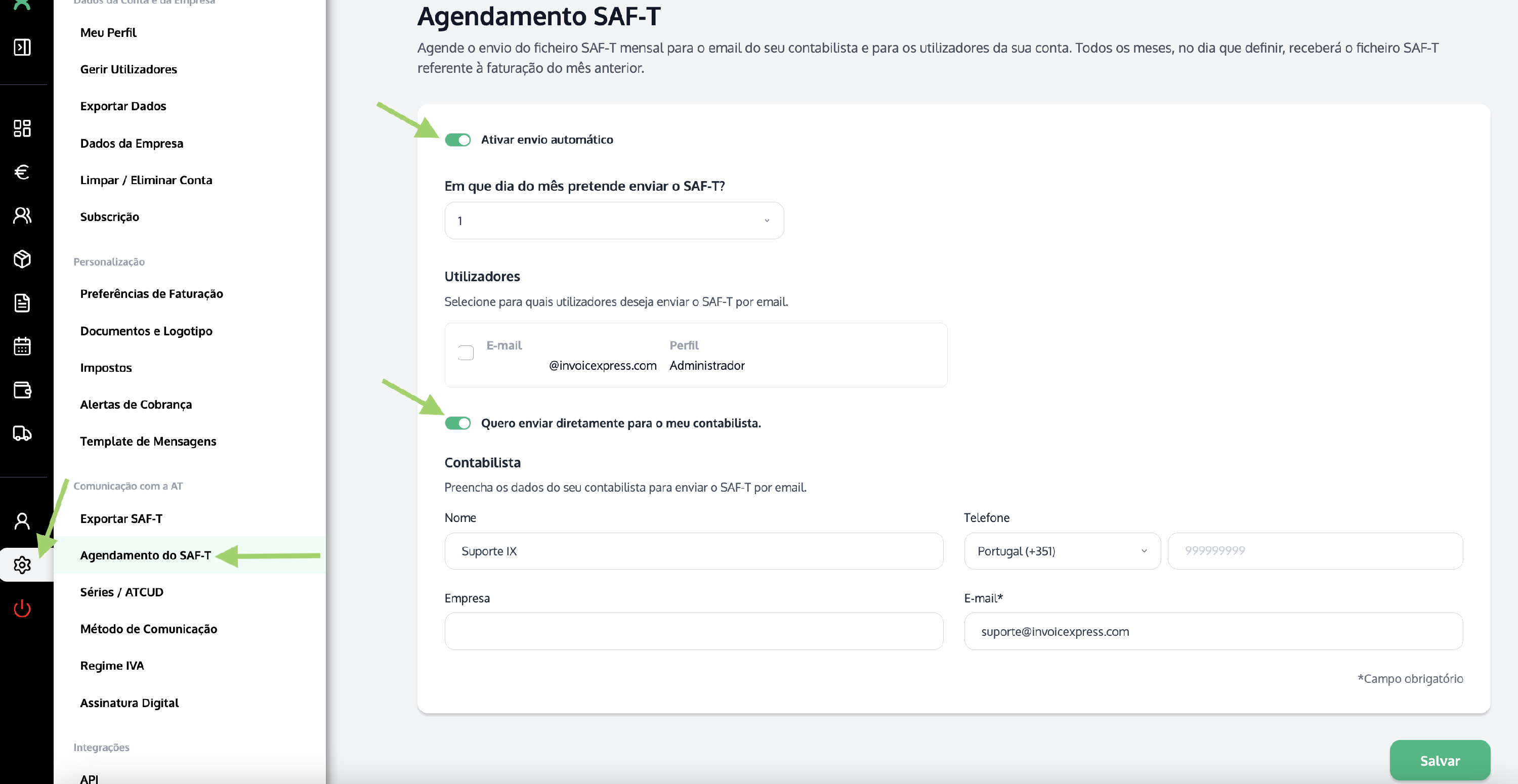
You can set up the automatic sending of the SAF-T file to the email of any user on the account, or to your accountant's email address. To do so, go to Settings (on the left-hand vertical bar) > SAF-T Scheduling:
1Scheduling options
- Set the day the file will be sent.
- Enable automatic sending to account users, choosing which email addresses should receive the file.
- If you wish, also enable sending the file to your accountant, by adding their email address.
⚠️ Since the SAF-T must be reported to the Tax Authority by the 5th of each month, you should schedule this a few days in advance, for example, on the 2nd of each month.