
⏫ How to configure automatic communication of Delivery Notes to the Tax Authority
As soon as you finalize a delivery note, it is reported to the Tax Authority in real time. Once this communication is made, the Tax Authority returns a code that InvoiceXpress automatically associates with that delivery note, displaying it on the document itself. This process can take a few minutes, so it's a good idea to create the delivery note somewhat ahead of the transport date and time (the one you set in the Loading Date field).
⚠️ If your invoices are already being reported automatically, for the same to happen with your transport documents you'll need to update your Finance Portal user and select the WDT option in the permission list.
1Configure automatic communication for Delivery Notes only
To configure automatic communication to the Tax Authority for Delivery Notes only, first create a User for this purpose on the Finance Portal:
- Go to the Finance Portal (http://www.portaldasfinancas.gov.pt/at/html/index.html);
- On this page, click Finanças;
- Click Serviços;
- Click Gestão de Utilizadores in the Taxpayer Authentication column, and log in:

Here you should create a new User, and choose a password. The user will look like TaxID/number; this is the value you should enter in InvoiceXpress. The password must be between 8 and 14 characters.
In this user's permission list, select the WDT option (Transport Document data communication).
2Set up the communication in InvoiceXpress
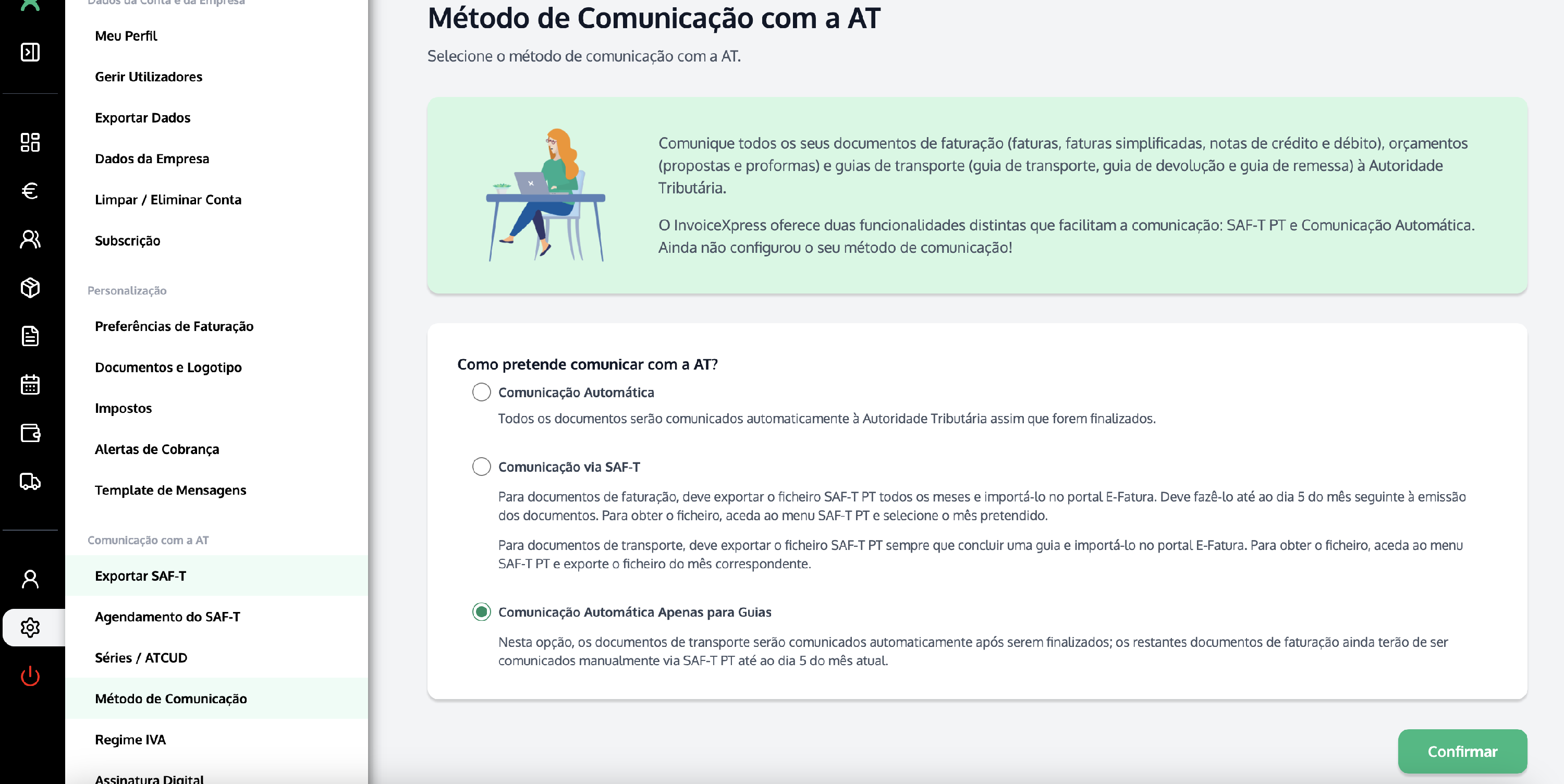
- Go to Settings (on the left-hand vertical bar) → Communication method;
- Select the Automatic Communication for Delivery Notes only option and click Continue;
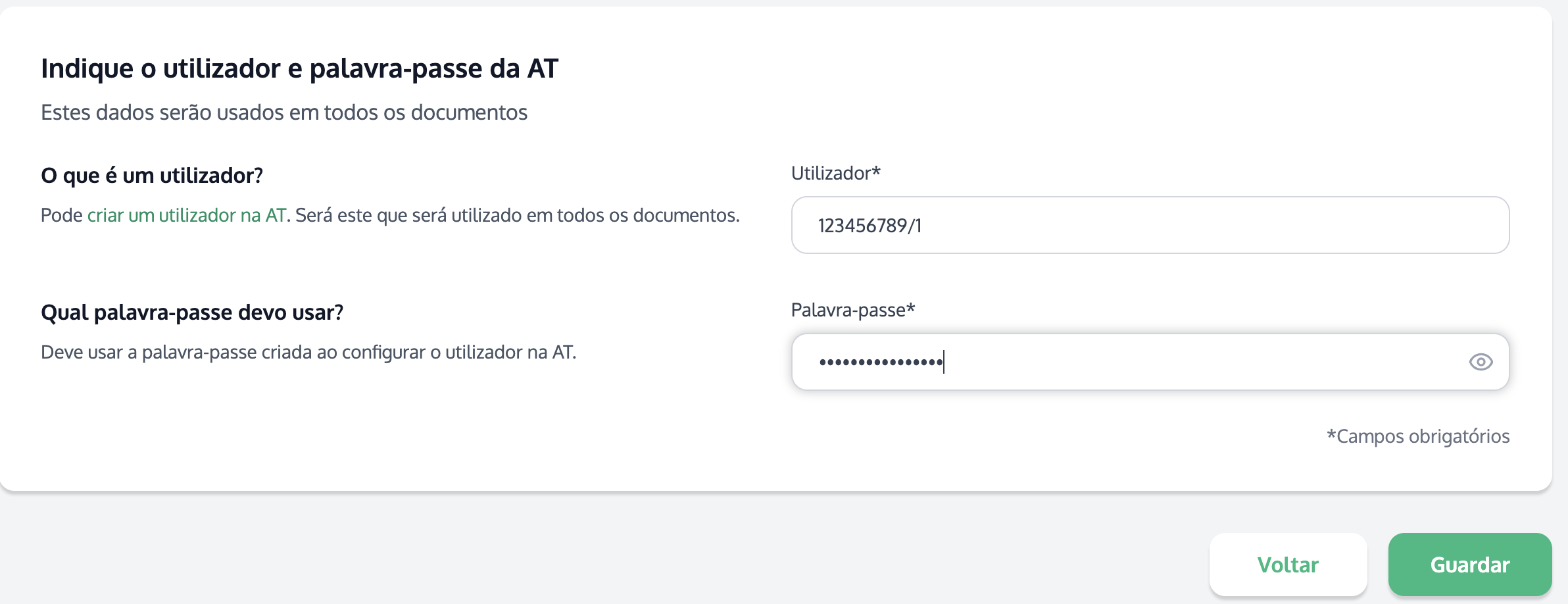
- Enter the User and Password you set up on the Finance Portal and click Save.
3Check the communication history
You can check the status of your documents' communication in Settings → Communication method → Communication History:

💡 After finalizing the delivery note, refresh the delivery note page and you'll see the Tax Authority code assigned to the document, both in the preview and in the PDF.