
👤 How to create a User on the Finance Portal for Automatic Communication
With InvoiceXpress you can automatically report your documents to the Tax Authority. To do so, you first need to create a User on the Finance Portal.
1Create the user on the Finance Portal
- Go to the Finance Portal (http://www.portaldasfinancas.gov.pt/at/html/index.html);
- On this page, click Finanças;
- Click Serviços;
- Click Gestão de Utilizadores in the Taxpayer Authentication column, and log in:

💡 Tip: create a new user and choose a password. The user will look like TaxID/number; this is the value you should enter in InvoiceXpress. The password must be between 8 and 14 characters.
In this user's permission list, choose WFA (Invoice data communication) and WSE.
⚠️ Delivery notes: if the automatic communication is only for transport documents (delivery notes), also choose WDT (Transport Document data communication).
2Set up the communication in InvoiceXpress
- Go to Settings (on the left-hand vertical bar) → Communication method;
- Select the Automatic Communication option and click Confirm.
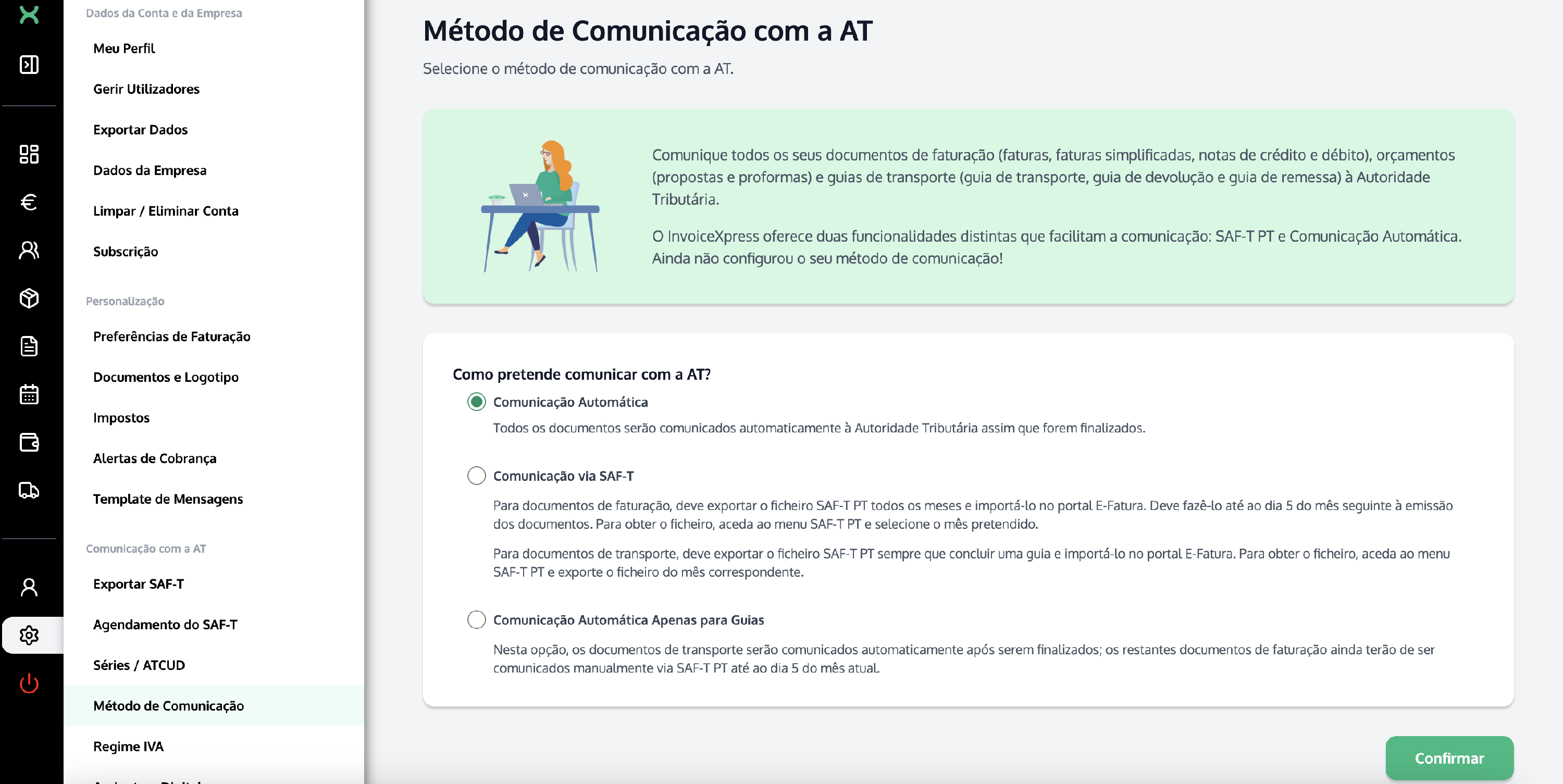
You can choose to report only this year's documents, or this year's and the previous year's. In either case, all documents from the chosen year(s) will be reported.
Enter the User and Password you set up on the Finance Portal and click Save:

3Check the communication history
You can check the status of your documents' communication on this same InvoiceXpress page, in the Communication History section. As documents are reported, they will be added to the list:

Once reported, these documents can also be confirmed on the e-Fatura Portal → Invoices → Issuer → View documents: https://faturas.portaldasfinancas.gov.pt/