
🛠️ Export and Import Data
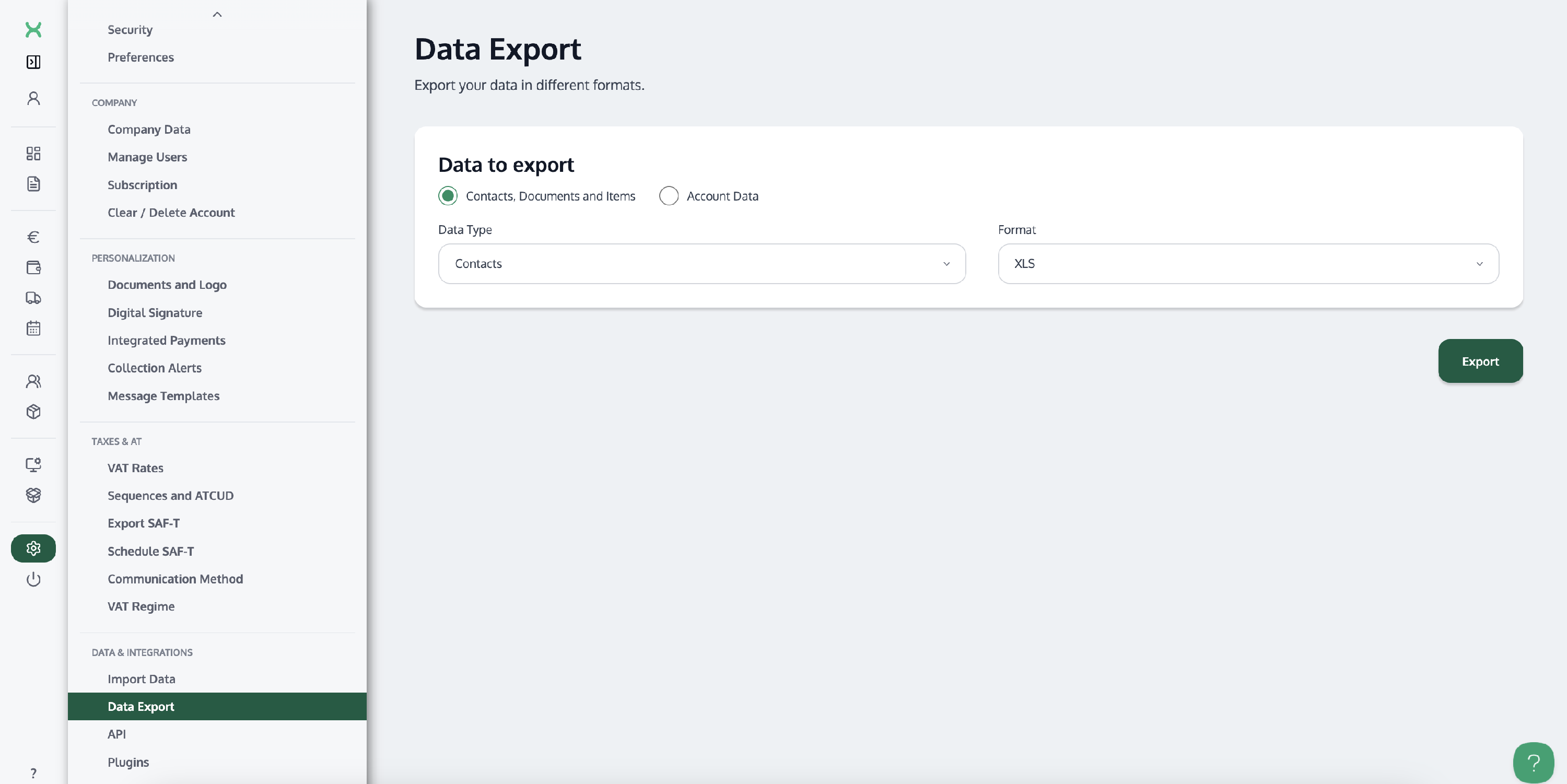
To do this, go to Settings → "Export Data"
The steps to start the export are:
- Select the type of Data you want to export.
- Select the Format you want to export your data in. If you intend to import the data back into an InvoiceXpress account, we recommend selecting the .CSV format.
-
Click "Export".
To import client and item data into InvoiceXpress:
Go to Settings (in the left-hand sidebar) → "Data Import".

💬 Frequently asked questions
❓ How do I export my data?
Go to Settings → "Export Data", select the type of data and the format you want, and click "Export".
❓ Which format should I choose if I want to import the data back into InvoiceXpress?
We recommend the .CSV format.
❓ Where do I import client and item data?
Go to Settings (in the left-hand sidebar) → "Data Import".