
🛠️ Set a specific language for a client
It is possible to configure the language specifically for each client, so that the client receives documents in a language different from the one set in Billing Preferences under Customization.
To do this, simply:
- Go to the Contacts tab and open the page of the contact whose language you want to change.
- On the contact’s page, click Edit Contact on the right side.
-
Uncheck the box Use account settings. This will unlock the language configuration, allowing you to select English, Portuguese, or Spanish.
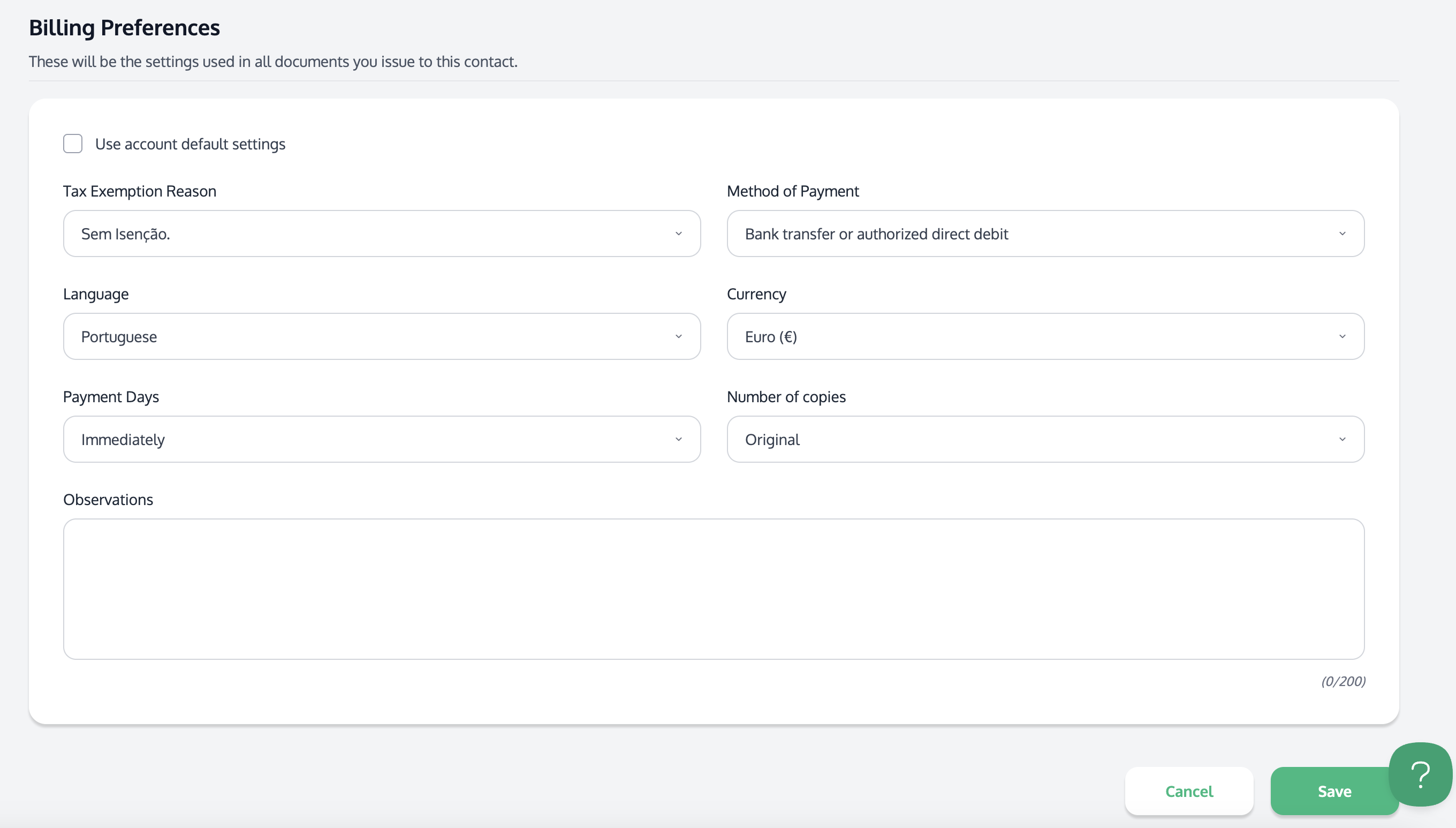
The language shown in the document preview will always be the one selected in Billing Preferences; however, if the contact has a specific language configuration, this setting will be reflected in the PDF document when clicking Download PDF.