
🧾 How to Create Quotes, Proformas or Fees Note
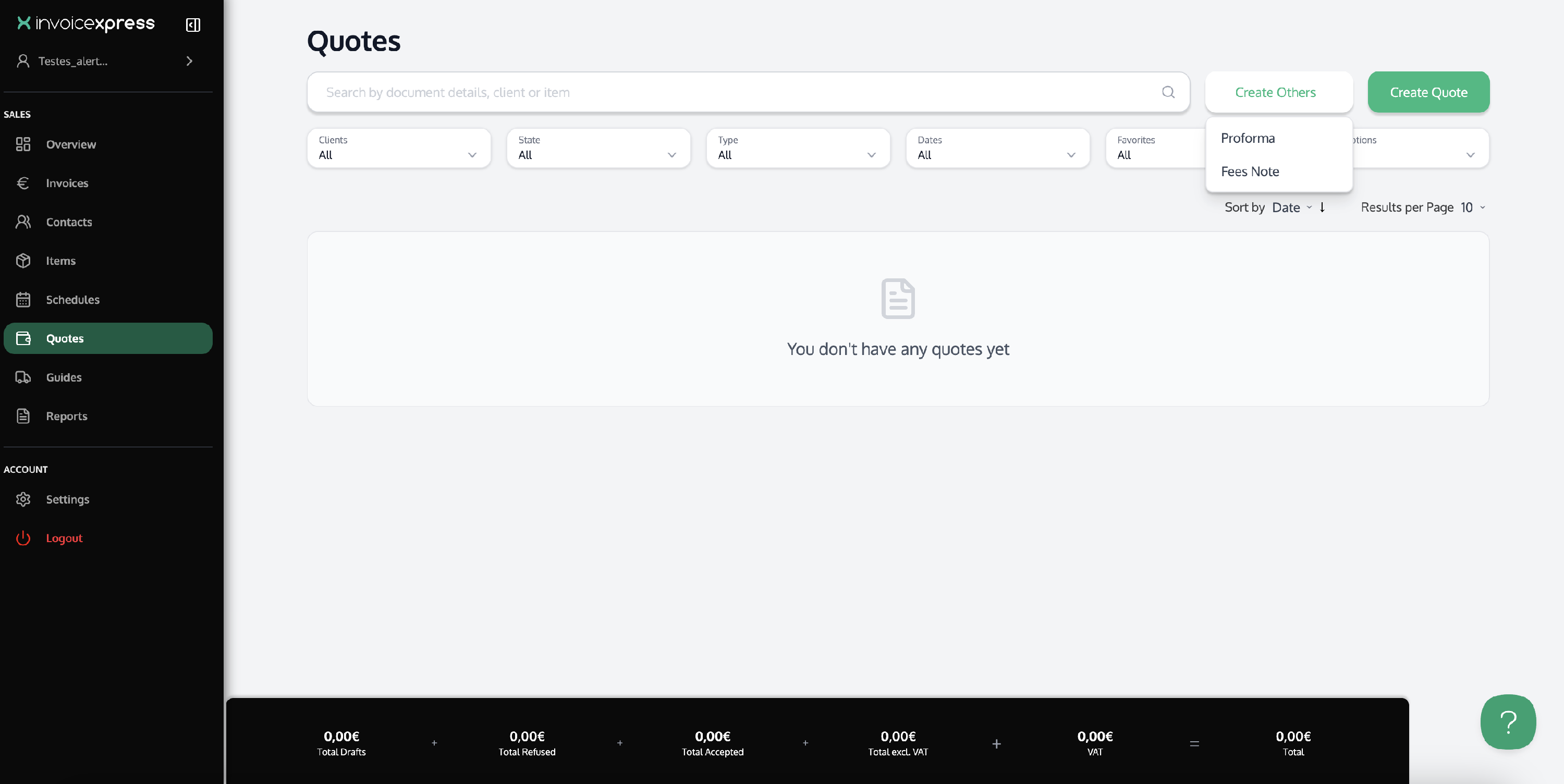
To create a Quote, Proforma or or Fees Note, go to the Quotes menu (in the vertical menu on the left):
- To create a Quote, click Create New Quote.
-
To create a Proforma or Fees Note click Create Other Documents.
Later, you can mark the Quote or Proforma as Accept or Refuse. To do this, open the page of the Quote or Proforma and click Accept or Refuse.
If you want to issue an invoice using the same data from a Quote or Proforma, you can do this by opening the original document (Quote or Proforma) and clicking Copy as Invoice.